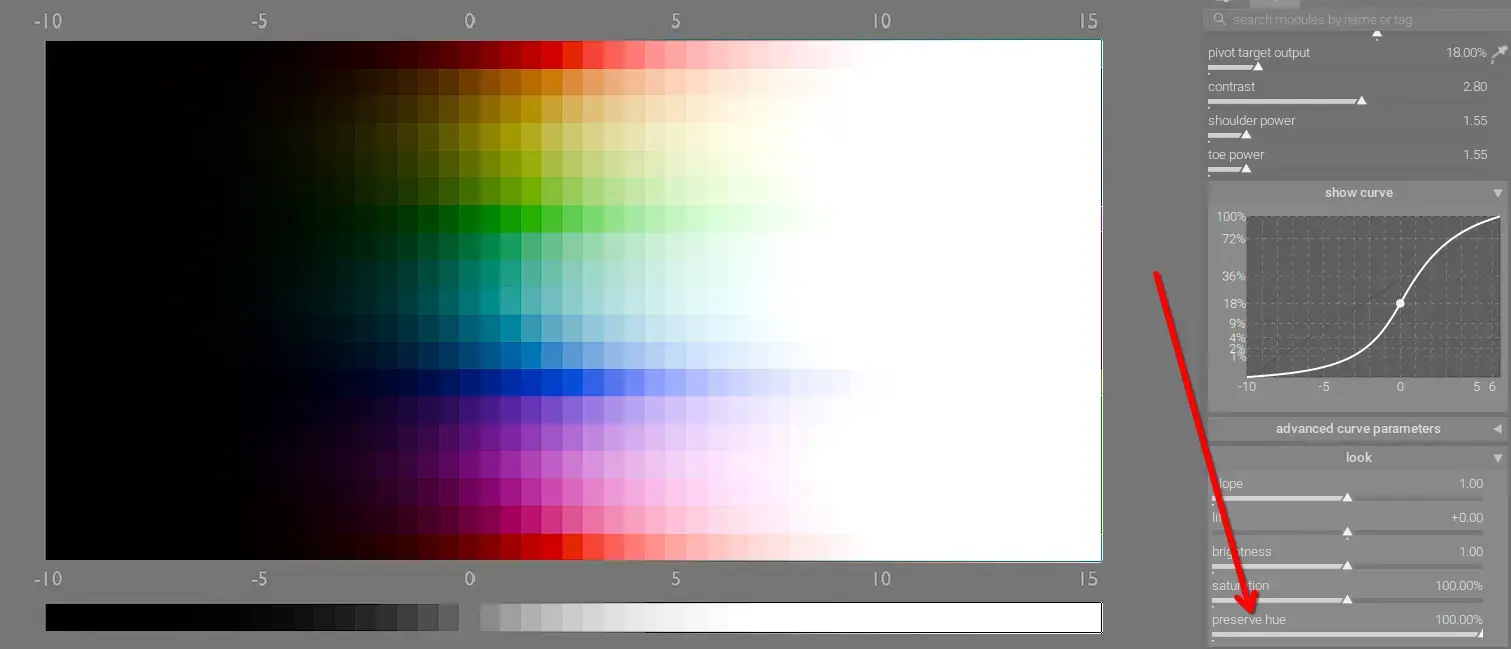
The new AgX tone mapper and the older sigmoid module both provide controls to adjust the color primaries of the image, but what exactly does that mean? What problem are these sliders solving? Let's examine how color shifts occur when luminance changes below.
Guide
See here for a complete guide to an AgX-based workflow
Darktable and Color Spaces
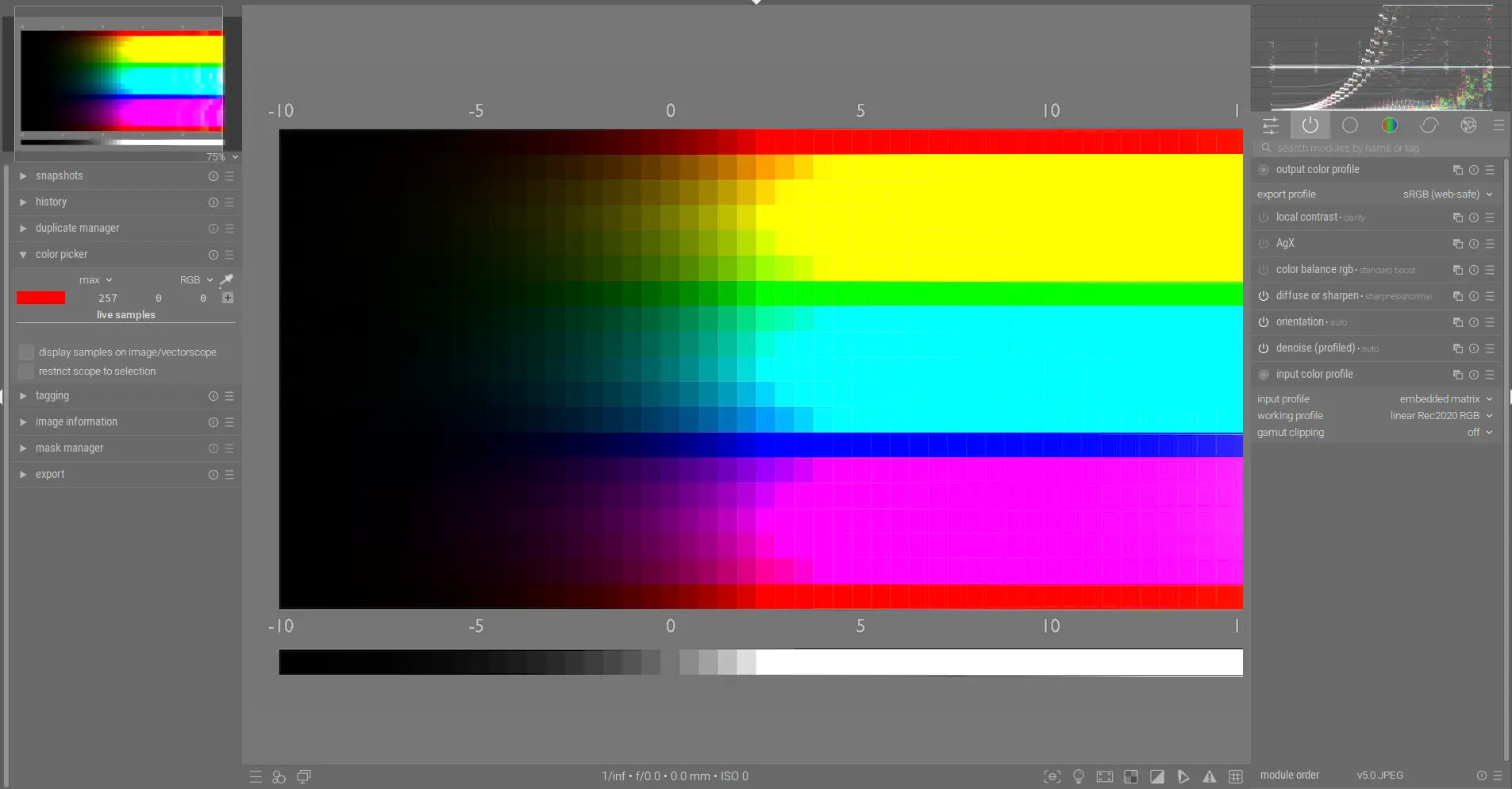
We can use this testing image which demonstrates a variety of hues and increases in luminance from left to right. First, we need to understand that each channel, R, G, and B can go from 0 to 255 in sRGB (the most common color space). This means that 0, 0, 0 is pure black and 255, 255, 255 is pure white. Darktable uses a much larger color space internally by default (linear Rec2020 RGB), so each channel can go far beyond 255 (which lets you define more colors). The color space used internally by darktable is set by the working profile field in the input color profile module. Similarly, the color space used when images are exported from darktable is set in the export profile field in the output color profile module. You can see these both below and also note how the color picker set on the red at the top middle shows roughly 255, 0, 0, pure red:
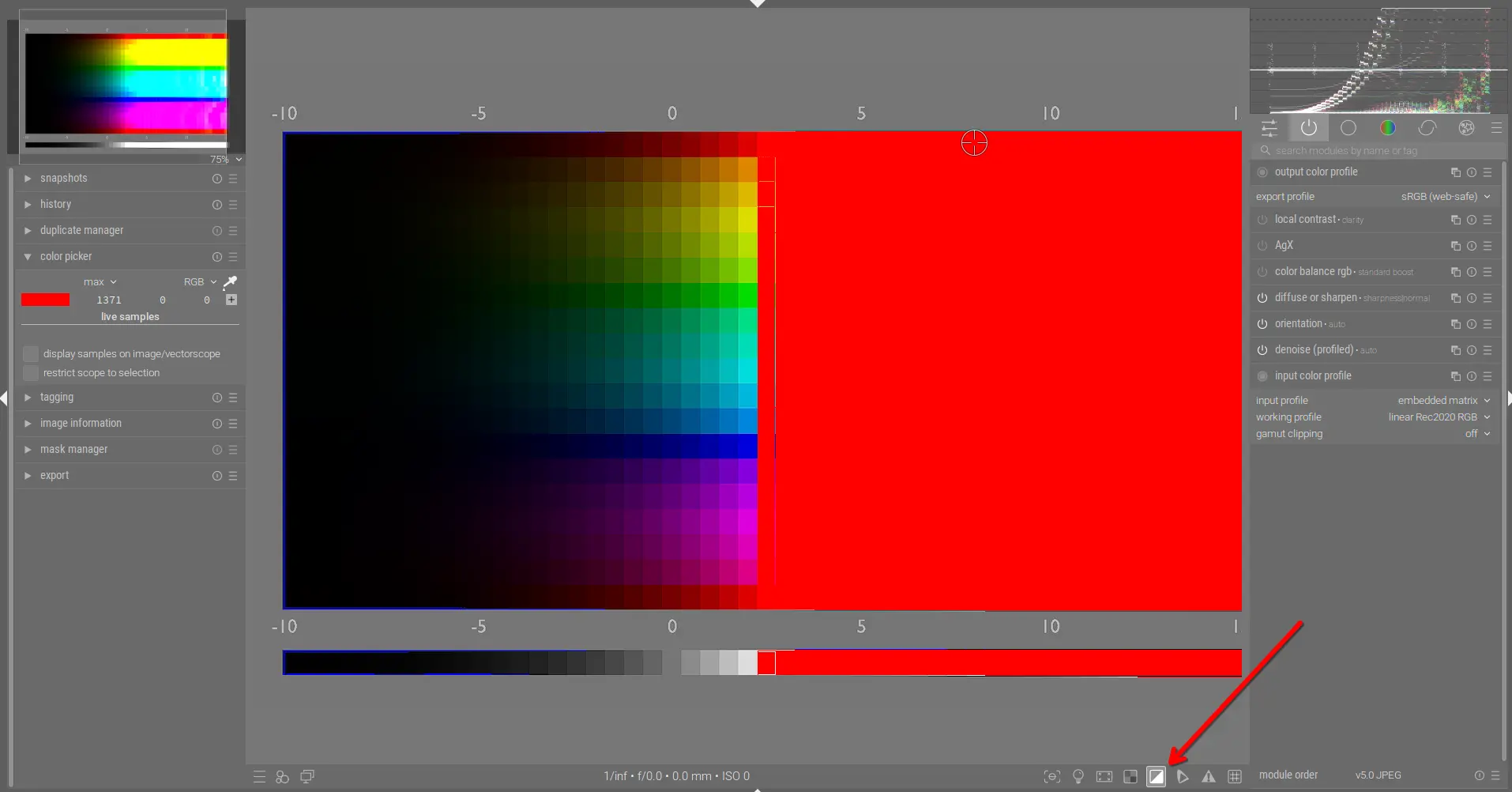
Because the export profile field is set to sRGB (web-safe), if we use the color picker to select a red value farther to the right, the R channel is much higher than 255 (the max for sRGB) and thus these values are out of gamut. You can confirm this by enabling the clipping indicator at the bottom and seeing how the entire right half is highlighted (all out of gamut; over 255):
Now, let's see how color shifts are created.
The Notorious 6
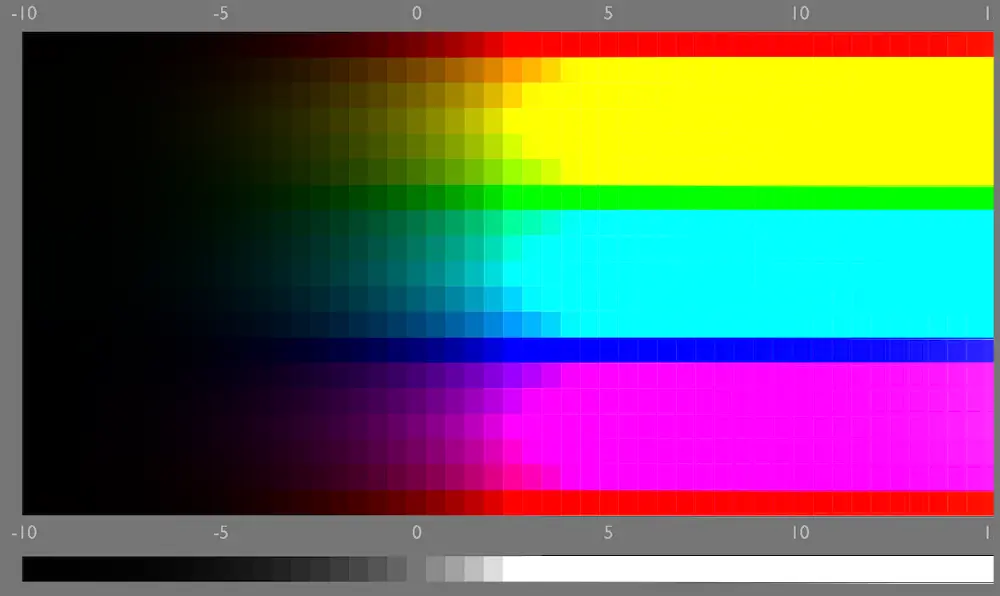
If you want to get white, you need all 3 channels to be maxed out (255, 255, 255 in sRGB). This is problematic when one or more channels is at 255 already because as you increase luminance, the 3 channels do not change proportionately, relative to each other. This causes all colors at high luminance values to converge on the 6 colors seen in the right half of the above image (the "Notorious 6"). As we've discussed before, if this isn't handled properly, colors at high luminance shift to unpleasant, unnatural hues - colors that are supposed to be orange become yellow, some greens become yellow, etc. You can also visualize this with the short video in this post.
The sigmoid module handles this using its preserve hue slider so that each color is correctly preserved and the Notorious 6 are avoided:
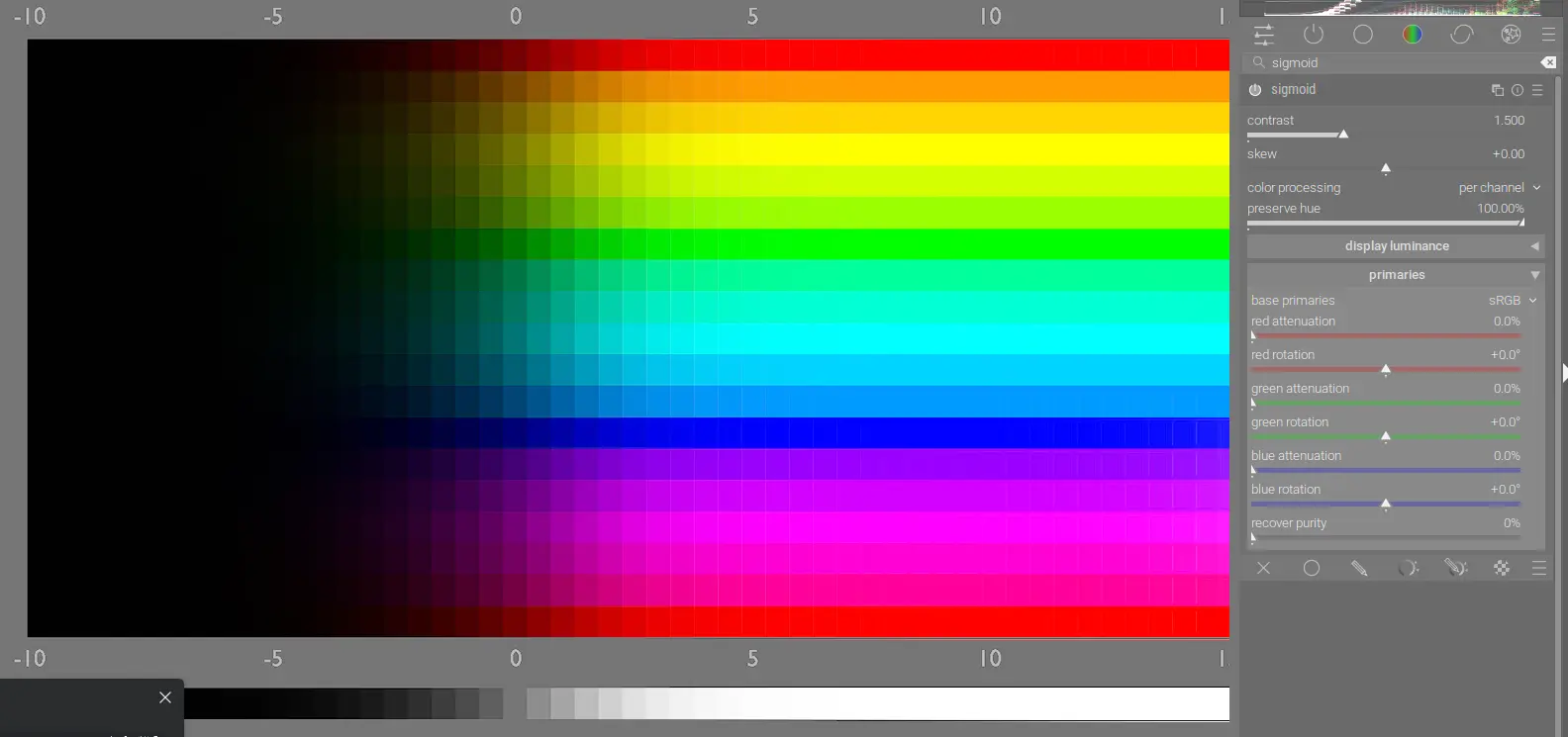
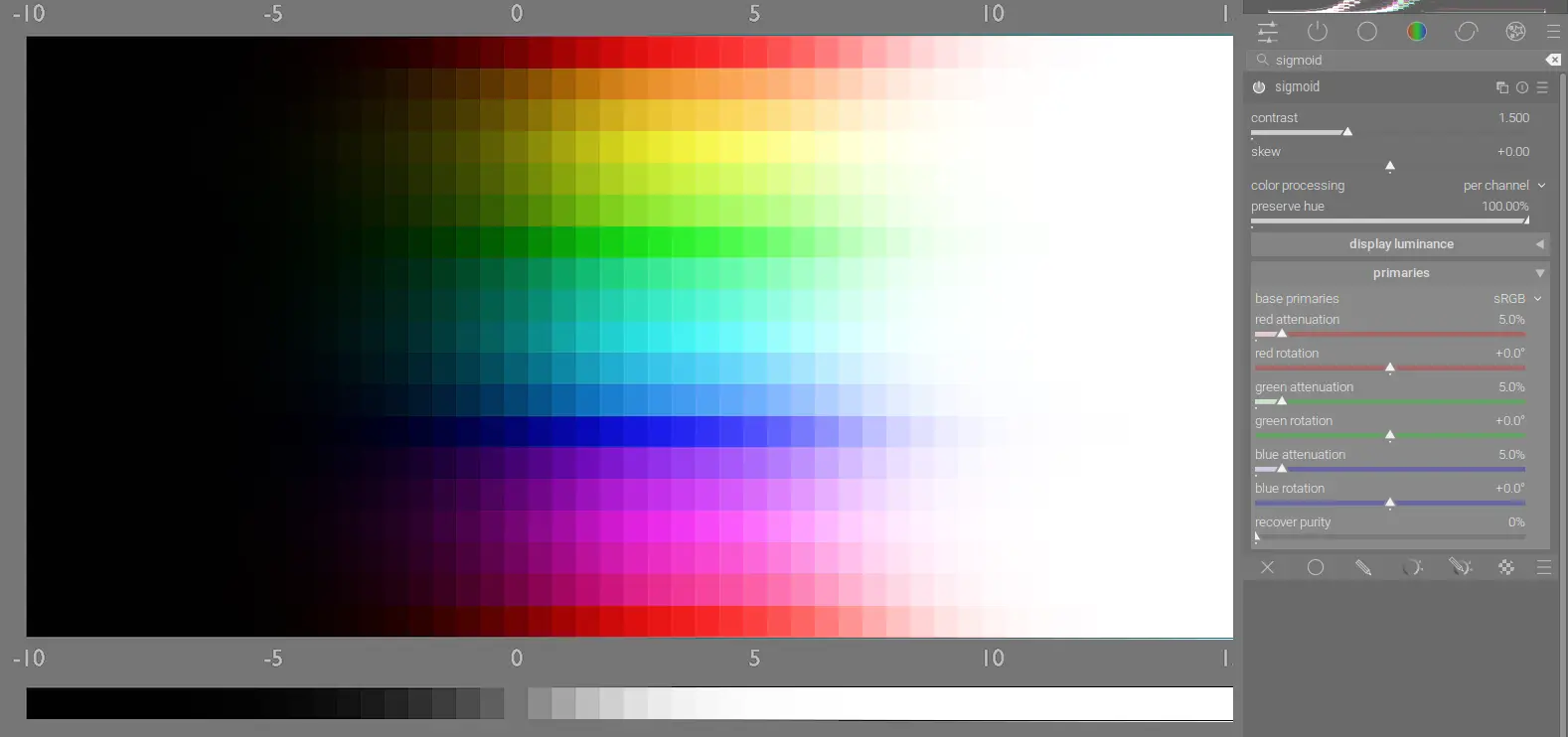
However, we still can't find white. You can transition all of the colors to white by setting a value on the red attenuation, green attenuation, and blue attenuation sliders in sigmoid:
As described in the manual:
Attenuate (decrease) the purity of the red, green or blue primaries before the signal is processed through sigmoid’s per-channel curves. An important consequence is that now even the brightest and most pure inputs get smoothly degraded to achromatic at the high end.
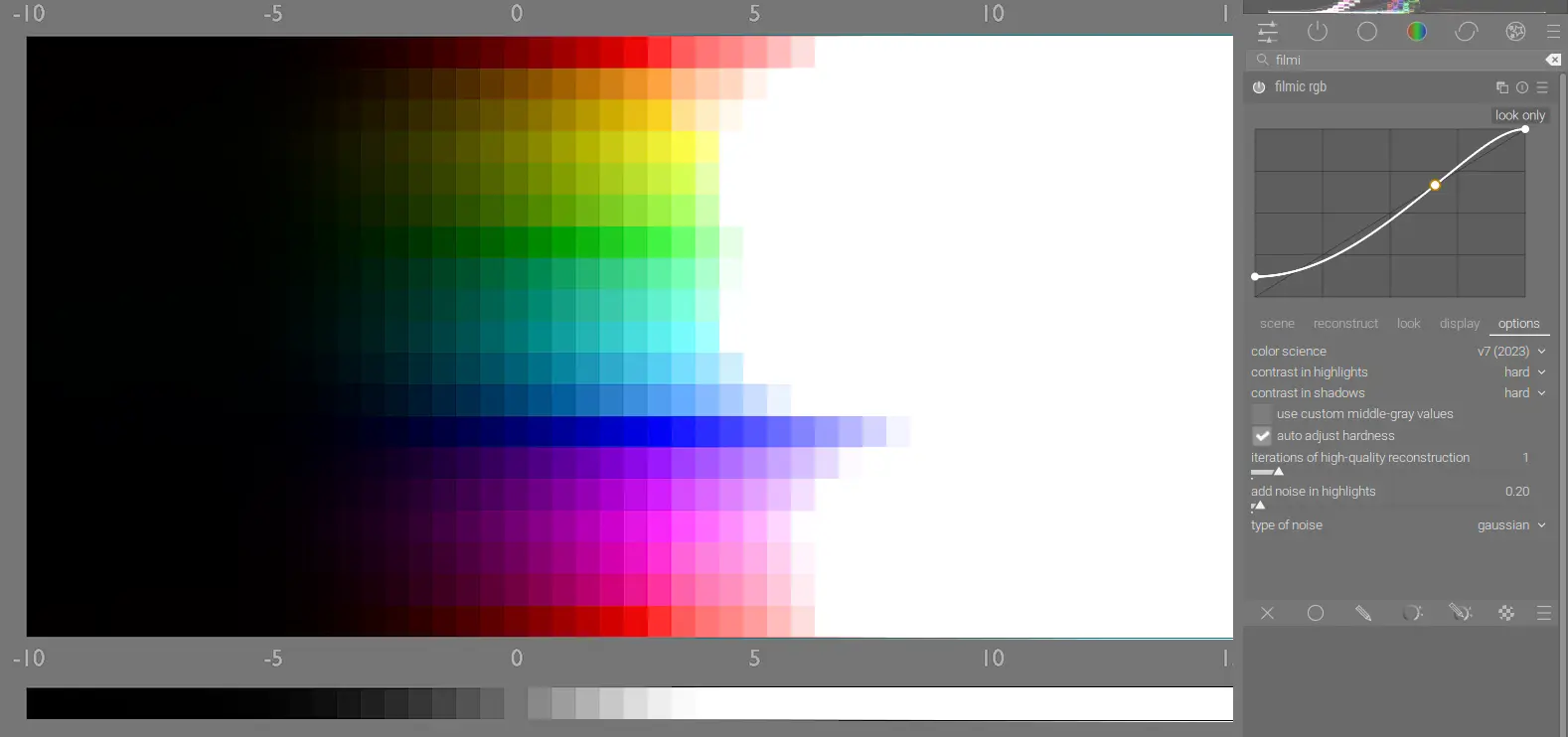
In other words, it creates a smooth transition, preserving hue, from each color fully saturated to white. filmic rgb also correctly handles the Notorious 6 and transitions to white, but doesn't expose precise controls like the other two tone mappers (more on this later):
AgX has very similar sliders to sigmoid and can achieve the same effect. In the below photo, we can clearly see this distortion in the yellow around the sun:

To counteract the Notorious 6 in AgX, use the preserve hue slider:
The left side below has preserve hue set to 0% and the right side has it set to 100%:


You'll probably want to set it somewhere in the middle (as looks good to you). For more details on these concepts, see this post by kofa.
Human Perception
While all 3 tone mappers address the Notorious 6, filmic rgb is strict in how it manages hue shifts and therefore doesn't account for another major factor, human perception. Human vision creates some distortions in how colors are interpreted, for example:
- Bezold–Brücke shift - as luminance increases, colors appear to shift towards blue or yellow; as luminance decreases, colors appear to shift towards red or green
- Purkinje effect - as luminance decreases, reds appear darker than they should
- Abney effect - colors appear to shift as white is added
The filmic rgb module doesn't really give you a way to handle this and so you end up with undesirable hue shifts like the famous "salmon sunset". By contrast, AgX allows you to fine-tune the hue shift to adjust colors to match human perception. In addition to the preserve hue slider, you can also use the sliders on the primaries tab. Think of the sliders under the before tone mapping section as the "rotation" sliders used to shift the R, G, and B channels as desired. Because most of these distortions are predominant in the highlights, this can cause unwanted hue shifts in the midtones and shadows when the entire channel is rotated. Therefore, use the sliders under after tone mapping as "unrotation" sliders to undo the effect for the midtones and shadows:
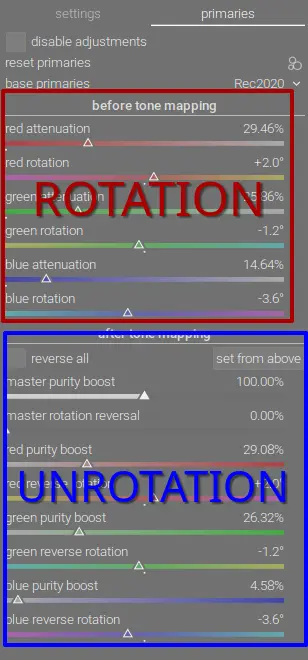
You can manually set each "unrotation" slider to match each "rotation" slider, however you can also use the reverse all checkbox to automate this reversal. Some important notes on these sliders:
- this MUST be done on a case-by-case basis as these distortions are created by the surrounding content in the image (just adjust until it looks good to you)
- sigmoid can also handle these types of shifts, but AgX provides additional control
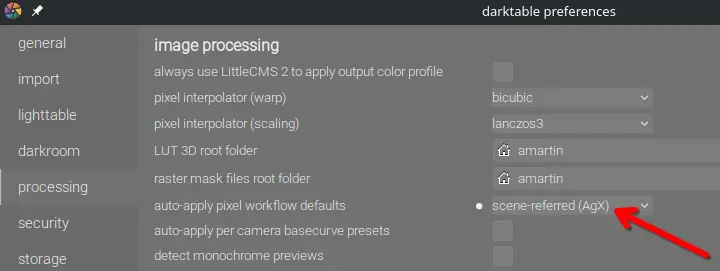
Conclusion
Handling colors properly at different luminances and also accounting for human perception is trickier than it may first appear. Each scene-referred tone mapper in darktable attempts to address at least some of these problems, but AgX has the most complete and powerful implementation. For this reason, and the incredible amount of control it gives you over the tone curve, I highly recommend adopting it as your default tone mapper: