
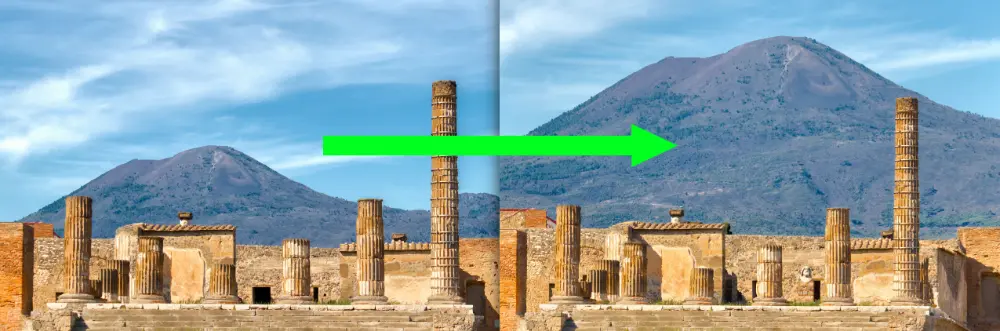
It might seem that fitting the foreground in the frame is the primary requirement for a good composition. However, as seen in the above variations on the same shot, the chosen focal length can have a dramatic impact on how the background appears. Let's explore this more to better understand which focal length you should choose when composing a photo.
Composition
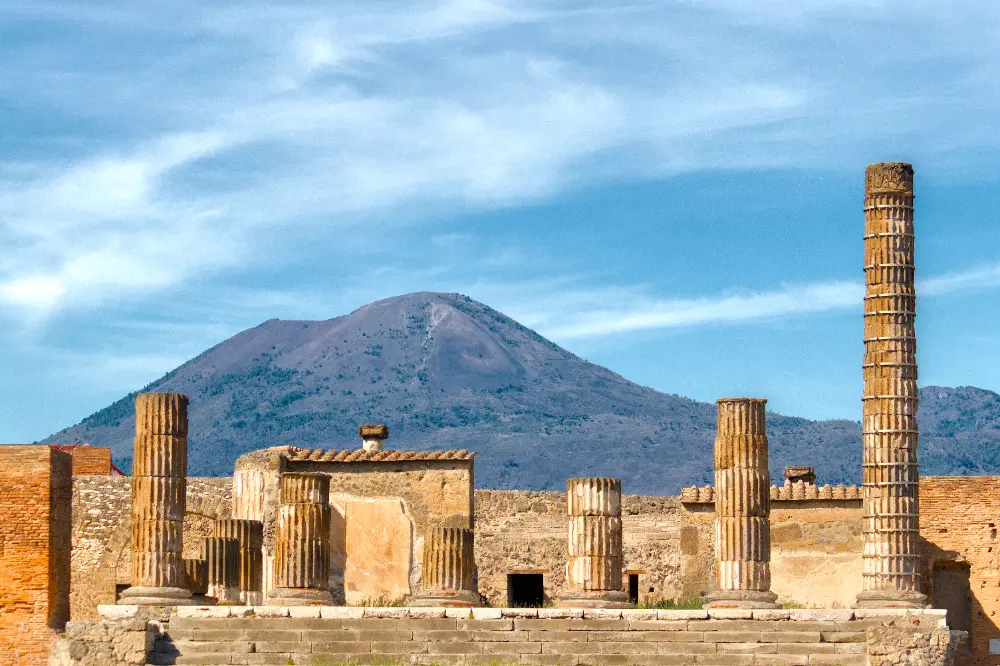
Good photos don't just capture a scene, they tell a story. In the case of Pompeii, you can't view the ruins without thinking of the volcanic eruption that tragically destroyed the city. Therefore, a photo of these ruins is much more compelling with the deadly volcano looming in the background. As we've discussed before, having a telephoto lens when traveling is often critical to framing shots that you wouldn't expect. In this case, with a more typical focal length (84mm), the volcano isn't as noticeable:
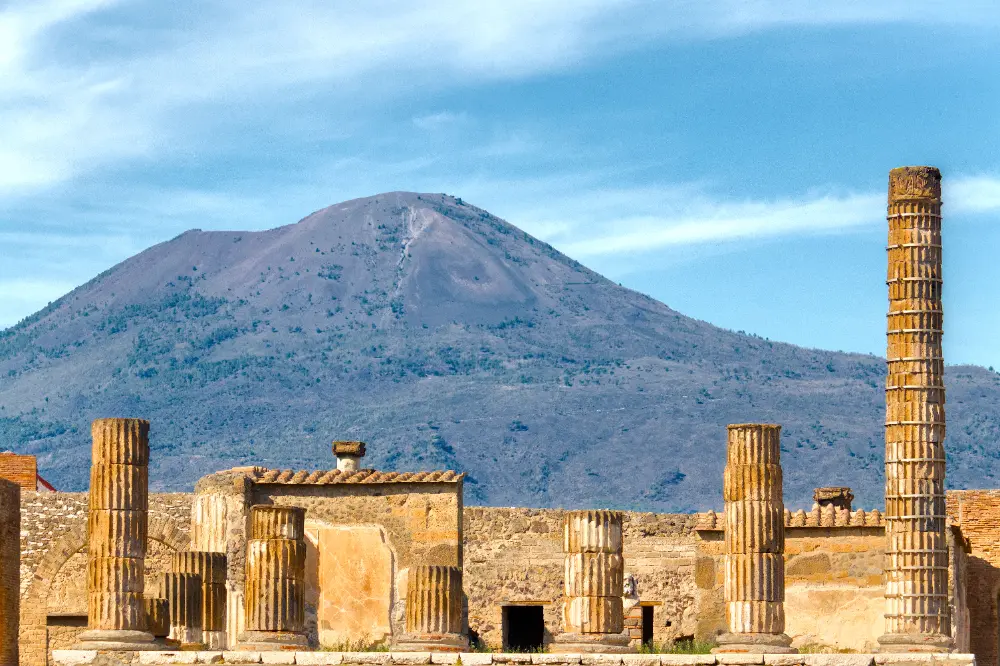
As we walk farther back from the ruins and also increase focal length into the range of a telephoto (109mm), the volcano rises more and more prominently:
Moreover, the effect of a slight adjustment in camera height has a more dramatic impact with higher focal lengths, as seen with how much taller the volcano looks at 117mm (below):
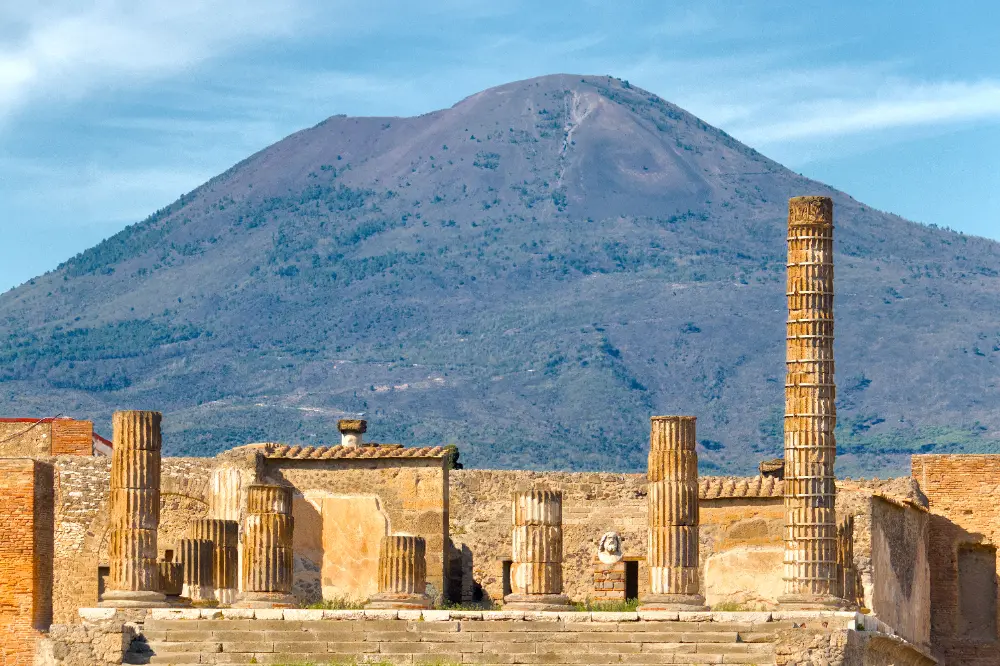
It's up to you to decide which version you prefer, but without a telephoto, your compositional options are much more limited. For the rest of this post, I'll use the 117mm version as I like how the volcano sits above the ruins.
Post Processing
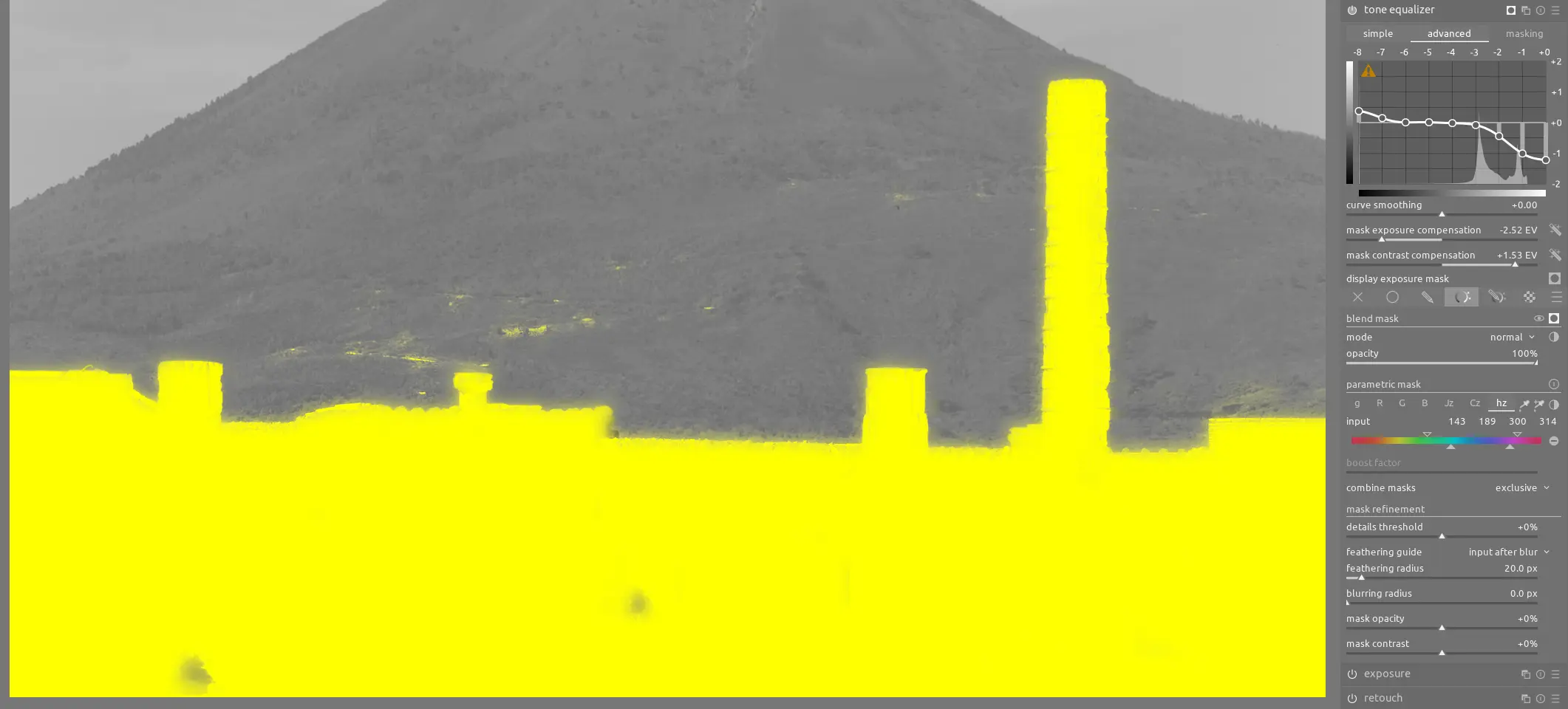
For this image, there is a lot of contrast between the foreground and background (human-made vs natural, orange vs blue, light vs dark, lines vs curves, etc). First, we need to darken the very brightest parts of the ruins so they aren't clipped when the midtones are properly exposed; we can do this with an instance of tone equalizer using a parametric mask to only select the ruins:
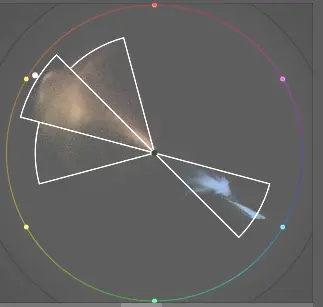
There's a natural analogous complementary color harmony in this image:
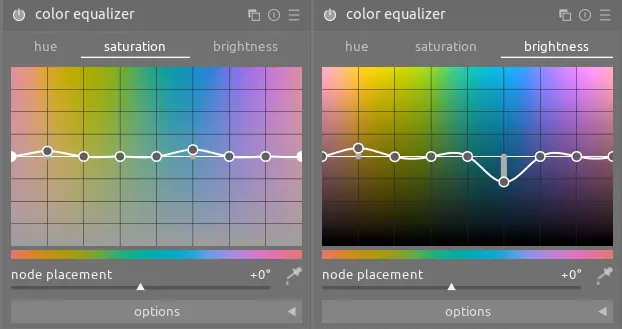
We want to further enhance this natural contrast using color equalizer to darken the blues (volcano) and slightly brighten the oranges (ruins). Moreover, we can slightly increase saturation:
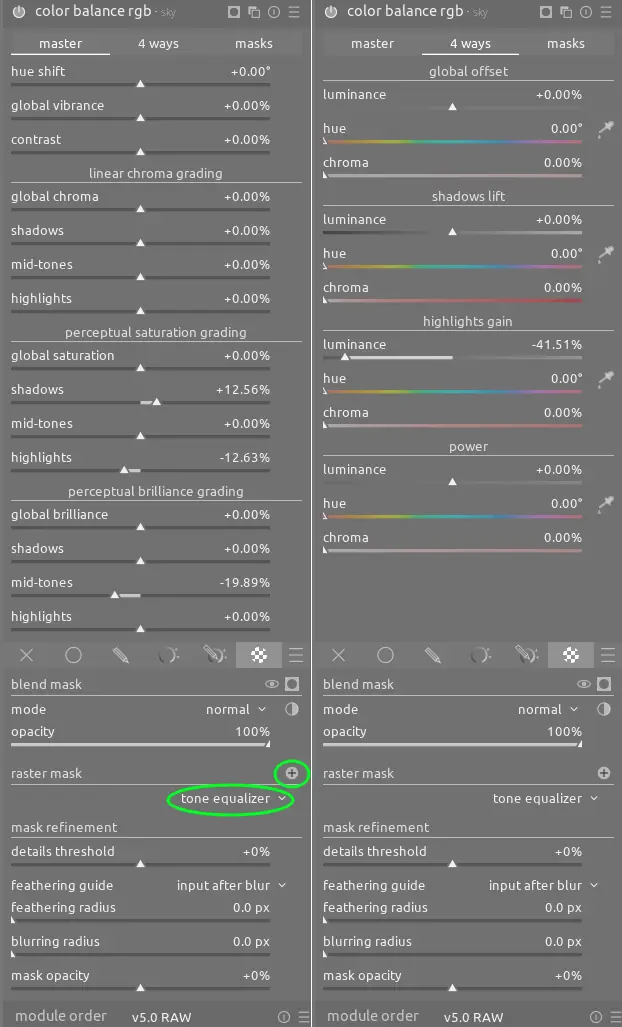
The sky is also too bright and the clouds are too saturated, so darken and desaturate that part of the image using an instance of color balance rgb. Because we already created a mask of the ruins in tone equalizer, and because that module comes before this one in the pixelpipe, we can reuse that mask as a raster mask here and invert it to quickly select just the background:
These changes make a big difference:
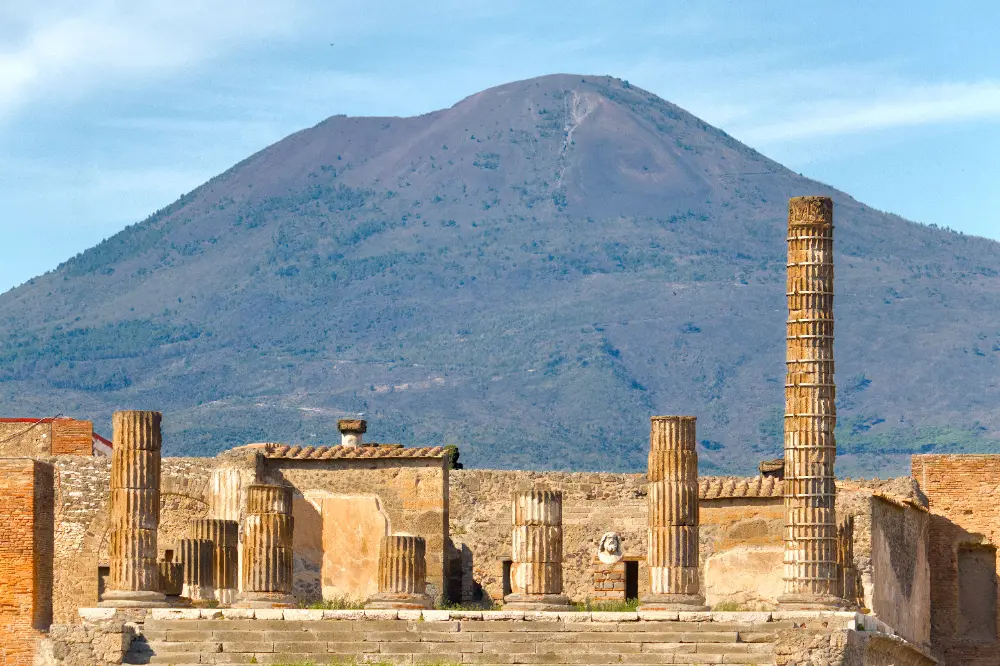
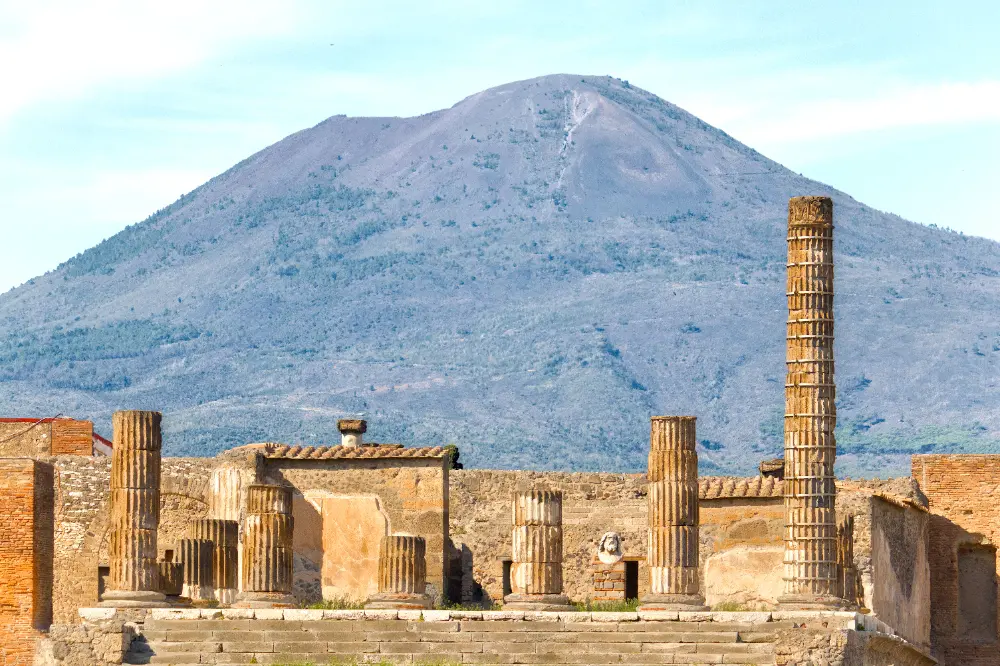
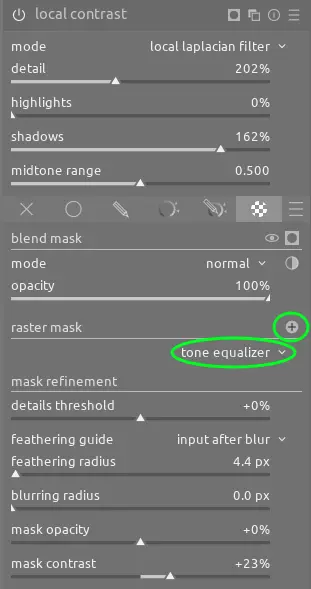
Next, we can enhance the detail on the volcano using local contrast (again with a raster mask) to dehaze and improve contrast:
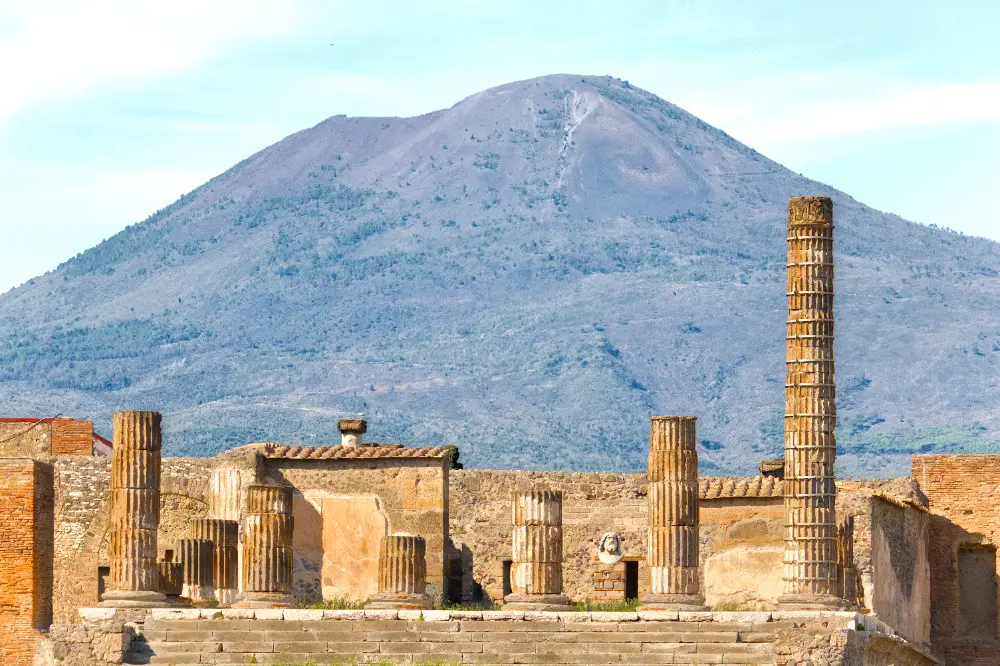
Finally, a complete before and after:
Conclusion
Often times, the background is key to creating a compelling photo. In order to make the background large enough to be meaningful, you may need a high focal length. For this reason, I recommend always carrying a telephoto in your kit.